










"Don’t use Chinese AI tools": The hidden risks behind global AI competition
Security experts warn that even seemingly private AI conversations can expose sensitive data, from personal information to corporate secrets, and offer tips to use ChatGPT, Claude, and other tools safely.
When we ask ChatGPT a question or upload a file to Claude, it often feels like having a private, temporary conversation with a personal assistant. But behind that seemingly convenient and confidential interface lies a different reality: the information is transmitted to remote servers, may be stored, and in some cases, even used to train future models or end up in unintended hands.
This gap between perception and reality creates a genuine problem. Many people use AI tools for work, uploading sensitive data or connecting them to email and calendars, without fully understanding the risks. And these risks are far from theoretical: from leaking corporate information to unintentionally running malicious code generated by AI, the dangers are real and require awareness.

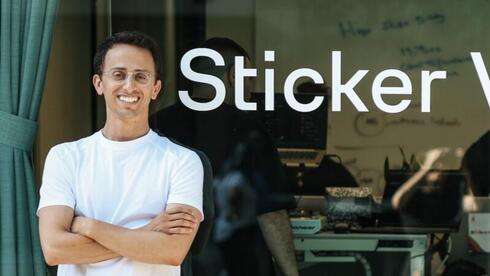
This guide aims to help you use AI tools safely, enjoying their benefits without exposing yourself or your organization to unnecessary risks. To prepare it, we spoke with Lior Ziv, CTO and co-founder of Lasso Security, a company specializing in generative AI security.
How can we prevent information leaks when using chatbots?
The best protection, says Ziv, is to use a corporate license. “When an employer purchases an enterprise license for ChatGPT, for example, the information written in chats doesn’t reach OpenAI to train future models,” he explains. “Any data used for training becomes part of the model’s brain, it could later appear in someone else’s answers.”
Enterprise licenses also allow companies to control permissions and store data in isolated environments. For individuals without a corporate plan, Ziv recommends disabling data use for training in the privacy settings of the chat application.
If I turned off training, what should I still avoid sharing?
The basic rule: don’t share personal or sensitive information such as ID numbers, credit card details, or home addresses. But Ziv notes that the decision about what to share ultimately depends on each person’s level of comfort.
“I’d compare it to social networks, some people share more, others less,” he says. “If you’re uncomfortable with the amount of information being collected about you, limit what you share.”
When using AI for work, however, the guidelines are clearer: follow your company’s policy. Yet, Ziv warns, the danger isn’t only what you give to the model, it’s also what you take from it.
“If you use AI to generate code and then implement it directly into a product,” he explains, “you could inadvertently introduce malicious code into your organization’s systems.” His advice: review and cross-check any code generated by AI, ideally using another model or manual inspection.

With so many AI tools available, how can we tell which are safe to use?
Stick to tools from well-established, reputable companies, says Ziv. If you encounter an unfamiliar tool, research it: check how long it’s been available, what reviews say, and read its terms of service, especially the section on permissions.
“If the permissions requested exceed what the product actually needs to do,” Ziv warns, “that’s a red flag.”
And what about Chinese AI tools?
Here, Ziv’s stance is unequivocal: “Don’t use them.”
A test conducted by Lasso on DeepSeek’s model revealed critical failures in nearly every aspect of security, except when discussing the Chinese government. “Any data that goes into these models could reach the Chinese government,” Ziv cautions.
If you still wish to experiment with such tools, he suggests doing so only in controlled environments like AWS, ensuring the data doesn’t reach external servers.
Can AI safely connect to my email, calendar, or other apps?
Ziv advises connecting only trusted tools to personal applications, and even then, to carefully review permissions. “If you give a tool permission not only to read but also to perform actions, it can cause serious damage,” he warns. “An agent could delete a development environment or lock an entire database.”
Regarding AI browsers, such as Perplexity’s Comet, Lasso’s research highlights serious vulnerabilities. Attackers can embed malicious instructions on one website, which the browser then carries out on another, such as sending personal data to an attacker. This is known as Indirect Prompt Injection.
The takeaway: if you use AI browsers or agents, never give them permanent permissions. Allow only the minimum necessary, and monitor their behavior closely.
Ziv concludes with a note of caution: “We’re not yet at a stage where AI browsers can be used safely,” he says.