










Laptop review
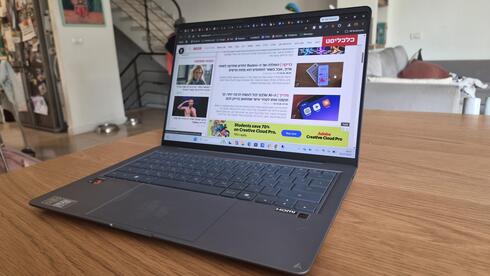
The ASUS Zenbook 14 makes a strong case for ditching Intel
Powered by Qualcomm's Snapdragon X processor, the lightweight laptop handles everyday work without noticeable compromises. Its elegant design, 14-inch screen and quiet operation make it a compelling option, although its price and lingering software limitations may give some buyers pause.
Top line
The Zenbook 14 gets the job done. Most users will be able to handle everything they need, and more, with this machine. On paper, its specifications might give pause to customers accustomed to Intel processors and the company's familiar processor numbering system. In everyday use, however, there is little noticeable difference. Its relatively large screen and low weight also make it easy to slip into a bag and take wherever you go.
It is not an inexpensive machine. The configuration tested, with 16GB of RAM and 512GB of storage, costs approximately $1,600. Other configurations are available at lower prices. There are also cheaper alternatives, but they generally come with less memory, more weight and less elegant designs.
Details
The shift began a little over two years ago, when Microsoft unveiled Windows computers powered by Qualcomm's Snapdragon processors, marking a departure from its longstanding close relationship with Intel. Since then, all the major computer manufacturers have introduced Snapdragon-based models, many of them featuring AI capabilities, including functions that can run locally without connecting to the cloud. The idea was to offer users a familiar Windows experience, even though the hardware underneath was fundamentally different.
The transition was not entirely smooth. Windows itself ran, but installing and running other software was a different matter. Consumers could no longer assume that an application designed for Windows would work on their computer. They had to check whether it was compatible with the specific processor architecture. In some cases, finding a suitable version was straightforward; in others, no version compatible with Qualcomm's processors was available at all.
That early friction has not derailed the move toward Snapdragon-powered PCs. ASUS recently introduced new versions of its Zenbook 14 range featuring Qualcomm processors, and we put one through its paces to see how much has changed.
An elegant design that doesn't reveal the difference
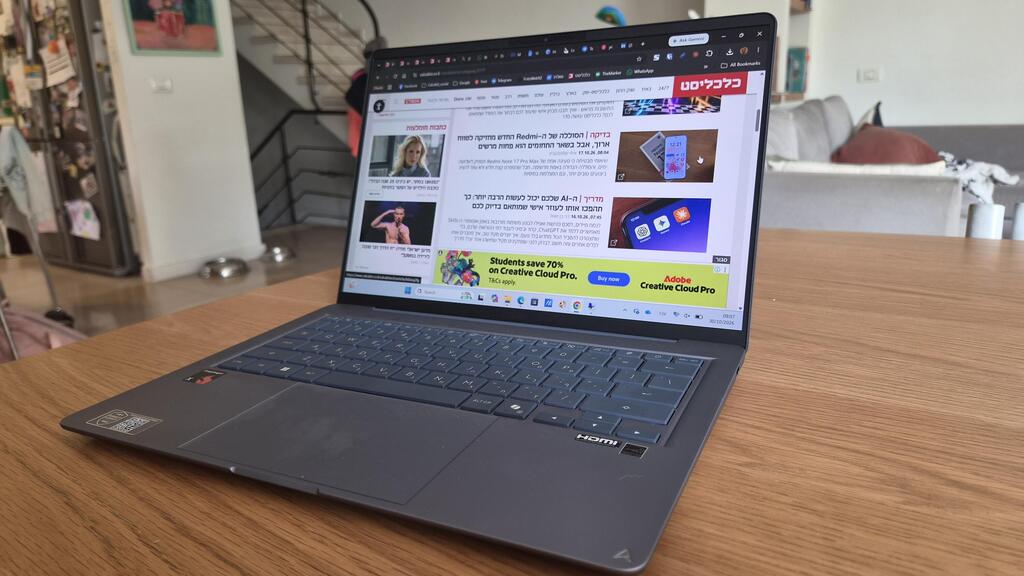
Externally, there is little to suggest that this is a different kind of computer. The Zenbook 14 looks much like other ASUS laptops, although its chassis is made from Ceraluminum, a material developed by the company that combines ceramic and aluminum. It is designed to be thin, lightweight and durable. The finish gives the computer a slightly distinctive appearance, while remaining in keeping with the understated design of the Zenbook range.
The material's biggest advantage becomes apparent when you pick up the machine. It weighs just 1.1 kilograms and feels exceptionally light, almost as if it weighs even less. That is particularly impressive for a laptop with a 14-inch display. The screen is a standard, non-touch panel, while the chassis is relatively slim and feels well built.
Despite its compact dimensions, the computer has a full-sized keyboard that is generally comfortable to use. There are more comfortable keyboards on the market, but this one is perfectly adequate for everyday work. The large touchpad is also easy to use.
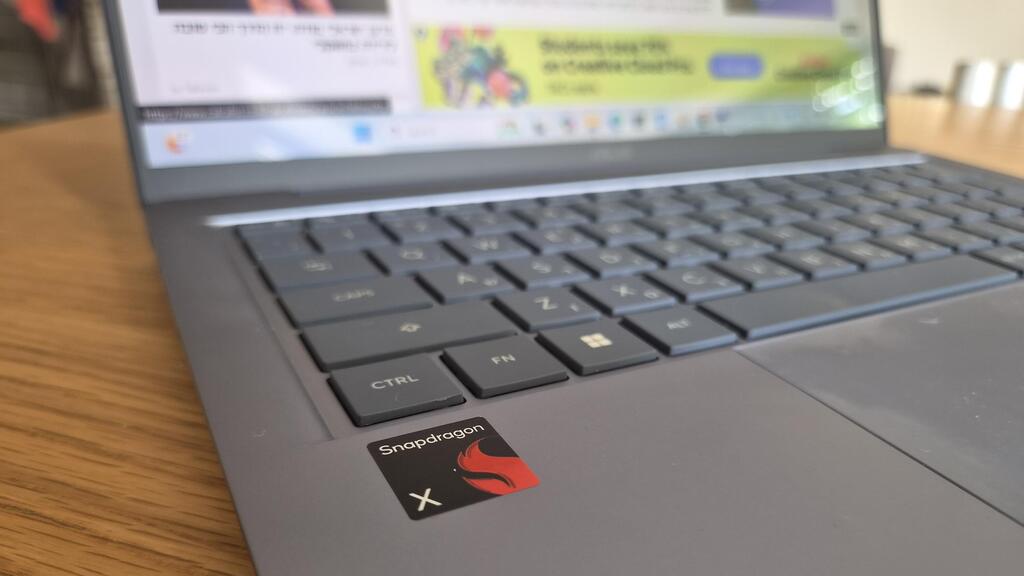
The keyboard layout differs slightly from those found on other models. It lacks dedicated Home and End keys, for example, as well as a conventional Print Screen key. Instead, it offers a shortcut to Microsoft's built-in screenshot and recording tool, which can capture all or part of the screen, record video, extract text from images and perform other tasks.
The power button is integrated into the top row of the keyboard, next to the Delete key at the far right. This is a thoughtful arrangement that helps prevent accidental presses, a welcome detail.
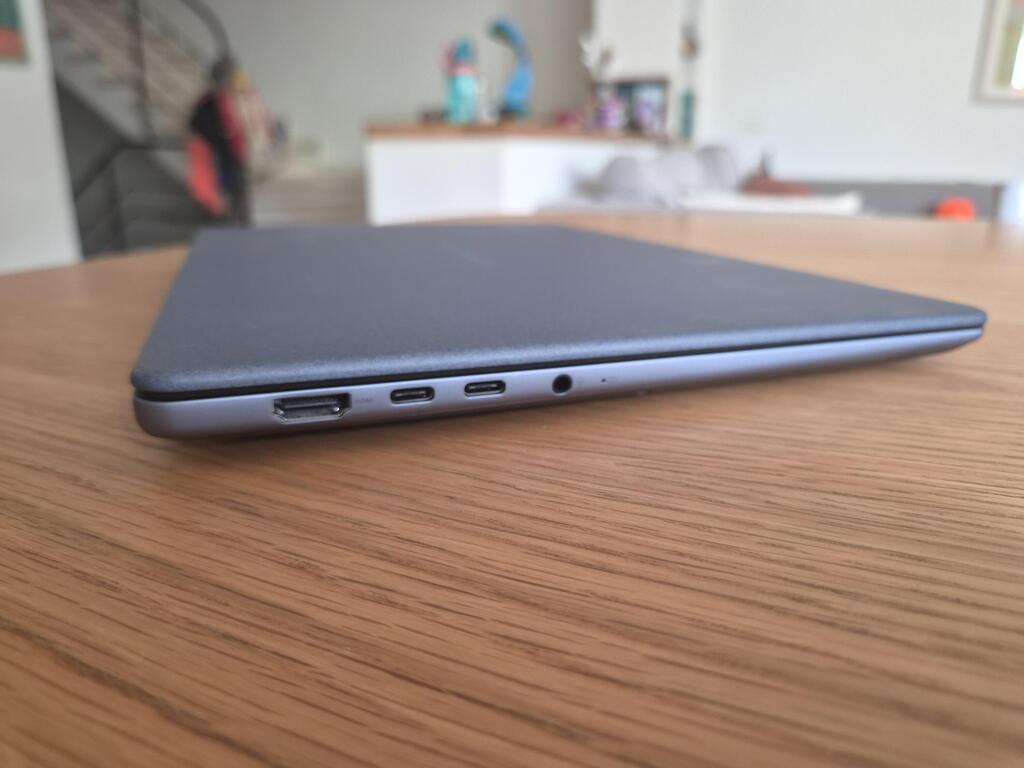
For such a slim laptop, the selection of ports is reasonably generous. The right side has a single USB-A port, while the left side includes an HDMI port, two USB-C ports that also support charging, and a standard headphone jack. The camera does not have a physical privacy shutter. Instead, a keyboard key disables it. Personally, I would prefer a simple, clearly visible physical cover.
The computer stays cool and quiet
The processor is Qualcomm's Snapdragon X X1-26-100, paired with 16GB of RAM and a 512GB storage drive.
In everyday use, it is difficult to tell the difference between the Zenbook and a laptop powered by a more familiar Intel or AMD processor. The computer simply gets the job done. From the moment I received it, it became my primary work machine, handling everything I threw at it, including browsing with multiple Chrome tabs open, light photo editing and occasional use of Claude. Performance was smooth throughout, and the computer remained cool and quiet.
The screen is excellent, with rich, vibrant colors and enough brightness to remain usable outdoors, even in sunlight. The speakers are generally good, although I have heard better ones, including on other thin-and-light laptops.
Battery life is also a strong point. Depending on usage, the Zenbook can last through a full working day, although demanding tasks will naturally reduce that figure. In any case, it provides several hours of uninterrupted work on a charge.
The package includes a 68-watt charger, slightly more powerful than the 65-watt adapters commonly supplied with laptops. ASUS says it can take the battery from 15% to 50% in about 20 minutes. That means even a relatively short charging session can provide several additional hours of use. A full charge takes longer, at approximately an hour and 15 minutes.
Software support is steadily improving
Support for Qualcomm processors continues to improve, addressing one of the main obstacles that held back the first generation of Windows laptops powered by Snapdragon chips.
The technical explanation is relatively simple. Windows has traditionally run on computers powered by Intel or AMD processors, which use the same underlying processor architecture. Snapdragon chips, by contrast, are based on a different architecture, commonly used in smartphones and tablets. As a result, moving Windows to these processors required more than simply replacing one chip with another. Both the operating system and the applications running on it had to accommodate the different architecture.
That distinction still matters when installing software. Some developers offer versions specifically adapted for Snapdragon-powered computers, while Microsoft's Windows App Store can help users find compatible applications. In other cases, downloading the latest version is enough, with Windows' built-in compatibility technology allowing software originally developed for a different architecture to run.
There are still exceptions. Adobe, for example, offers applications with limitations on Snapdragon-powered machines, and its support documentation notes that certain features are available only on computers with Intel processors. Users who rely on specific professional applications should therefore check compatibility before buying.
The Zenbook runs Windows 11, which includes Microsoft's Copilot assistant and a growing range of AI features. These include image creation and editing tools, real-time video subtitle translation and other capabilities, some of which can run directly on the computer.
Like other ASUS laptops, the Zenbook also comes with the MyASUS application, which lets users manage computer settings, install software updates, run system diagnostics and control various functions. ASUS also includes StoryCube, a media-management application with photo and video editing tools. Similar applications are available elsewhere, but having one pre-installed and free to use is a convenient extra.